
To use a grocery list offline, prepare and open it while connected, then check off products as you shop. Reconnect afterwards so changes reach the rest of your household. OurPantry supports adding, editing, checking off items, and completing a shop offline. Shared updates need a connection, so separate shoppers should agree on a plan before relying on live coordination.
Prepare your next shop before entering the supermarket
Open OurPantry while you have a connection and check that the next shop includes the groceries you intend to buy. If your partner has been adding items, give the shared list a chance to show those updates before leaving. A list prepared on one device is only useful to the other shopper once that device has received it.
Review any regular products that may be due and add the extras needed for the coming days. Clear names make a difference when you are standing in an aisle and cannot easily ask which product was intended. A quick conversation before the trip can resolve questions about pack sizes or alternatives that a product name alone does not answer.
If both members are shopping at the same time, decide how to divide the work. You might take separate aisles, or one person might collect a small set of items. That agreement remains useful when live updates are delayed by the building’s signal, even with an app that can keep your own shopping actions available.
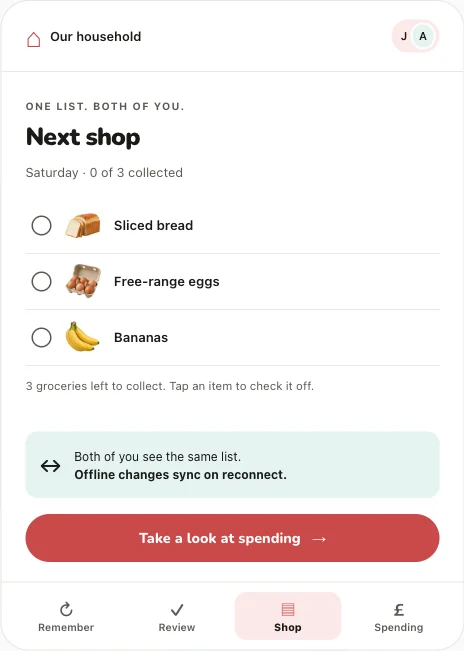
Keep working when the signal drops
Use the shopping list as you would normally: collect a product, then check it off. OurPantry supports these item actions offline and keeps changes for replay after reconnection. You can also add or edit items and finish the shop while offline. You do not need to stand near the entrance just to mark that the bread is in the basket.
An offline list and a live shared list solve different parts of the job. Offline support keeps your own actions available. Synchronisation makes those actions visible to the other member. While disconnected, neither device can receive new information from the other over the network. If your partner adds a last-minute grocery at home, you may not see it until your connection returns.
Treat an urgent change accordingly. If the household needs to coordinate something immediately, use whatever direct contact is available rather than assuming an offline list has already delivered the update. This is especially useful when two people are visiting different shops and might both decide to buy the same regular product.
Put it into practice
Let OurPantry help with your next grocery shop.
See the app in action →For UK households of two. Email us to register your interest in testing.
Reconnect and check the shared result
When you have a connection again, open the app and allow the pending changes to sync. If another member is relying on the list, check that the shopping state reflects what actually happened. A finished shop should represent the products you collected, with anything you did not buy handled deliberately rather than forgotten in an ambiguous state.
Keep the app and its local data available while you have unsynced actions. Removing an app or clearing its storage can remove local information before it reaches the service. Offline support is useful protection against poor signal during shopping; it is not a substitute for reconnecting to keep the household’s shared record current.
If you want spending history, add a total or deal with the receipt when you are connected and have time to check it. The grocery shop does not require a spending record. If something still looks wrong after reconnection, use the support page to report what you were doing, which device you used, and whether a connection was available. Avoid sending unnecessary receipt contents or personal information in an initial report.
Common questions
Will my partner see items I check off while offline?
They will see those changes after your device reconnects and the changes sync. Offline support keeps your actions available locally; it does not provide a live connection between devices.
Do I need a receipt to finish an offline shop?
No. Spending and receipts are optional. OurPantry supports shop completion offline, with changes replayed after reconnection.
Explore how OurPantry works or find more help in our support answers.